How to Write a User Manual
Everyone Has Probably Struggled with Instructions That Were Not Very Clear on How to Use a Particular Product or Service.
Frequently Asked Questions
What Is a User Manual?
A User Manual, Also Known as an Instruction Manual or User Guide, Is a Helpful Document That Provides Users with Guidance on How to Use a Particular System, Product, or Service Effectively. Such a Document Usually Consists of Detailed Step-by-Step Instructions, Operational Guidelines, Troubleshooting Guides, and Other Relevant Information.
What Makes a User Manual Good?
A Visually Appealing User Manual Can Help Create a Better Overall User Experience, Leading to More Satisfied Customers.
1. Appealing Visual Layer
A Visually Appealing User Manual Can Help Create a Better Overall User Experience, Leading to More Satisfied Customers.
2. Simple Language
Using Simple Language Is Essential for Creating a User Manual That Is Easy to Understand. the Language Used in Your Instruction Manual Should Be Clear, Concise, and Easy to Follow. Using Technical Jargon or Complex Language Can Make It Difficult for Users to Understand the Instructions, Which Can Put Even Advanced Users off from Using Your Product Features.
3. Ease of Navigation
A User Manual Must Be Easy to Navigate to Help Users Find the Information They Need Quickly and Efficiently. This Can Help to Save Time and Reduce Frustration for Users.
4. Logical Structure
A Well-Structured User Manual Can Make It Easier for Users to Understand the Instructions and Complete Tasks Correctly. If You Choose a User Manual Template That Reflects Your Design Tenets, It Should Also Reflect the Idea for User Documentation Design.
5. Relevant Topics
A Good User Manual Should Cover All Relevant Topics Related to the Product or Service, Without Being Overwhelming. This Means That It Should Not Only Provide Information on How to Use the Product but Also Offer Tips and Best Practices for Getting the Most out of It. Feel Free to Include Sections on Troubleshooting and Faqs to Help Users Quickly Resolve Any Issues They May Encounter.
Types of User Manuals
There Are Many Varieties of User Manuals – Not All Are Written as Simple Instruction Manuals. User Documentation Needs to Be Intuitive and Simple, but All Differences Boil Down to Who Are You Writing for and Why. Below You’ll Find the Most Commonly Used User Manuals and Their Types.
Instruction Manual
Instruction Manuals Are a Type of User Manual That Guides the User Step-by-Step on How to Operate a Particular Product or System. These User Manuals Are Typically Designed to Be Easy to Follow and to Minimize Confusion.
Training Manual
Training Manuals Are Designed to Provide Detailed Instructions on How to Learn to Use a Particular Product or System. They Can Be Used in a Variety of Settings, from Corporate Training Programs to Educational Institutions. for Example, a Company Might Create a Training Manual for Their Sales Team to Help Them Learn How to Use a New Software Platform.
Service Manual
Service Manuals Are Created for Technicians or Service Personnel to Help Repairing, Maintaining, or Servicing a Particular Product or System. These Manuals Contain Detailed Information About the Product, Including Technical Specifications, Schematics, and Troubleshooting Guides. a Maintenance Manual Also Presents How to Work with Machines Once They’re Deployed.
User Manual
User Manuals Provide End-Users with Information on How to Operate a Particular Product or System. They Are Typically Written in Simple Language and Provide Step-by-Step Instructions on How to Perform Various Tasks. as You See, User Documentation Might Be Required by Law to Contain Such a User Guide.
Operation Manual
An Operation Manual Is a Critical Document That Details the Key Processes and Procedures of a Company. It Provides a Comprehensive Guide for Employees on How to Carry out Specific Tasks Within the Organization. It Includes All the Information Needed to Ensure Smooth and Efficient Operations Across All Departments – for Instance, a Component Content Management System Requires Very Specific Instructions for the Users.
Organizational Policy Manual
An Organizational Policy Manual Is a Critical Document That Outlines the Company’s Policies, Procedures, and Best Practices. It Provides a Set of Guidelines and Rules That Are Intended to Ensure That the Company Operates Consistently and Efficiently. Organizational Policies Can Cover a Wide Range of Topics, Such as Human Resources, Workplace Conduct, Health and Safety, and It Security. the Policies Are Designed to Protect the Company’s Interests and Ensure That All Employees Are Aware of the Company’s Expectations.
Standard Operating Procedures (Sops) Manual
Standard Operating Procedures (Sops) Manuals Guide How to Perform Specific Tasks or Procedures Within an Organization. They Are Used in a Variety of Settings, from Manufacturing Plants to Hospitals. These Combine the Features for Instruction Manuals and Policy Manuals – a Factory Can Enable Users to Start and Shut Down Each Machine, but Advanced Features Might Be Beyond Such a Basic User Manual Template.
How to Write a User Manual in 11 Steps
Creating Instruction Manuals Isn’t That Difficult – You Just Explained-by-Step the Basic Instructions and Assist Users in Working with Your Product or Service. User Guides Are Usually Pretty Intuitive – Below We Have a List of Technical Communication Tips That Will Let You Create Content More Useful for the End User.
Step 1: Identify Your Audience
To Create an Effective User Manual, It’s Important to First Identify Your Audience. This Will Help You Choose the Right Language, Tone, and Level of Detail to Ensure That Your Manual Is Effective and Easy to Understand.
Step 2: Define the Problem
To Ensure That Users Work Smoothly, It Is Important to Identify the Tasks They Need to Perform and Anticipate the Potential Challenges They May Encounter.
Step 3: Break It Down into Steps
One Important Aspect of Creating a Useful User Guide Is to Present Information in Small, Easy-to-Follow Steps. for Optimal Clarity, It Is Recommended That Each Step Be Numbered and Defined. It Is Also Advisable to Avoid Combining Multiple Instructions in a Single Step. This Will Make the Entire Process Easier to Follow and Ensure the Successful Completion of the Task.
Step 4: Pick a Template
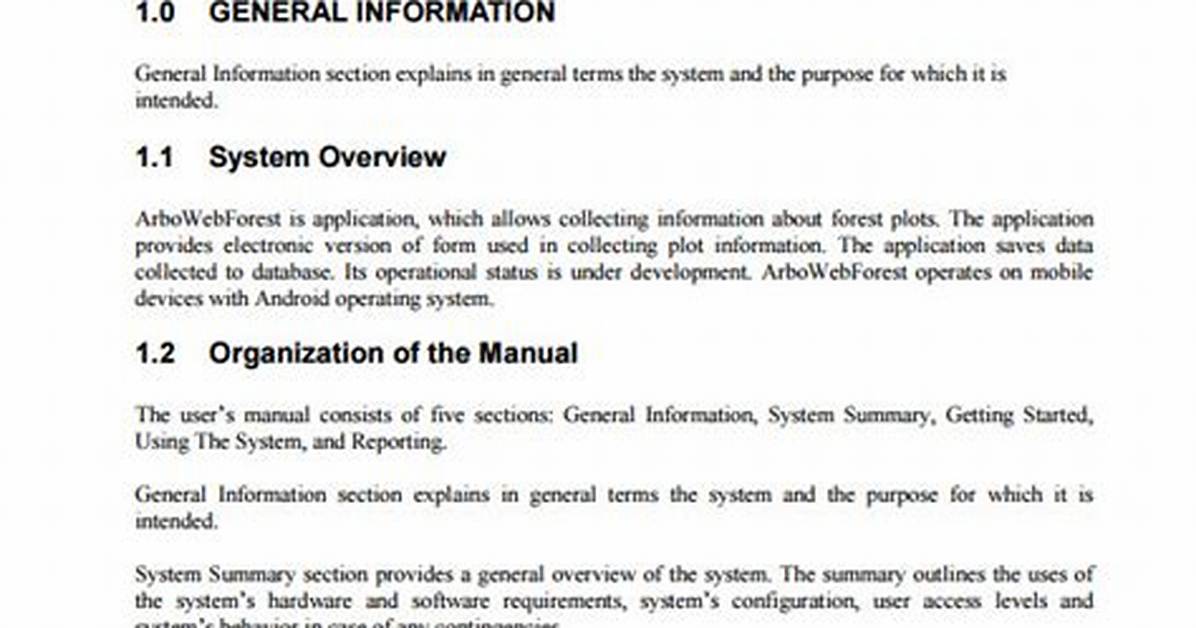
Using a User Manual Template Can Be Very Helpful in Creating a Manual, as It Provides a Consistent Structure and Formatting. There Are Many Manual Templates Available Online, Including Those Provided by Apps Like Canva. You Can Also Create Your Own Templates, or Choose from the List Presented in Our Guide to Booklet Templates.
Step 5: Create a Table of Contents
The Inclusion of a Table of Contents in the User Manual Is Indispensable. an Overview of the Manual Offers Users a Clear Understanding of Its Contents, Making It Easier for Them to Find the Information They Need. Arrange Your Table of Contents Logically, with Headings and Subheadings That Follow the Sections of the Manual.
Step 6: Be Descriptive
Use Clear and Concise Language That Is Easy to Understand, and Avoid Using Technical Jargon or Acronyms That Might Confuse Users. Use Illustrations or Diagrams to Help Explain Complex Concepts and Include Screenshots Where Necessary to Show Users How to Perform Specific Tasks.
Step 7: Stick to the Topic
User Manuals Should Be Focused on the Topic at Hand and Avoid Going off on Tangents. This Means Including Only Information That Is Relevant to the User’s Needs and Avoiding Unnecessary Information. If You Are Writing a User Manual for a Product, You Should Not Include Information on the History of the Company or the Product’s Manufacturing Process!
Step 8: Map the Journey of Your Users
Mapping the User Journey Is a Critical Step in Writing an Effective User Manual. This Means Identifying the Steps That Users Will Take to Complete a Task and Anticipating Any Issues or Questions They Might Have Along the Way. by Doing This, You Can Ensure That Your Manual Provides the Necessary Information and Solutions to Help Users Successfully Complete the Task.
Step 9: Explain Icons, Codes, and Symbols Early
If Your Product or Service Includes Icons, Codes, or Symbols, It’s Important to Explain Them Early in Your User Manual. This Will Help Users Understand Their Meaning and Avoid Confusion Later On. Consider Using a Glossary to Provide More Detailed Explanations of Any Technical Terms Used in Your Manual.
Step 10: Treat All Users as Laypersons
When Writing a User Manual, It’s Important to Assume That Users Have No Prior Knowledge of the Product or Service You Are Documenting. This Means That You Should Avoid Using Technical Jargon, and Explain All Concepts and Processes in a Clear and Easy-to-Understand Manner. Remember That Your Manual Should Be Accessible to All Users, Regardless of Their Level of Technical Expertise.
Step 11: Upload It Online
Consider Uploading Your Manual to Your Website or a Document-Sharing Platform Such as Publuu to Provide Convenient Access for Users, Regardless of Their Location or Time Constraints. Incorporating This Approach Will Assist You in Swiftly and Effectively Updating the Manual.
Summary
A Well-Written User Manual Can Be an Invaluable Asset for Any Company as It Can Help Users to Better Understand How to Use Their Products or Services, Ultimately Leading to Increased Customer Satisfaction and Loyalty.